NP Staff & Students
All NP Staff & Students* can simply log into their NP library account with their NP Staff/Student ID & password.
NP Library account can be accessed via browser or via library mobile app.
*excludes CET short course attendees
External Members
Library Account Set up
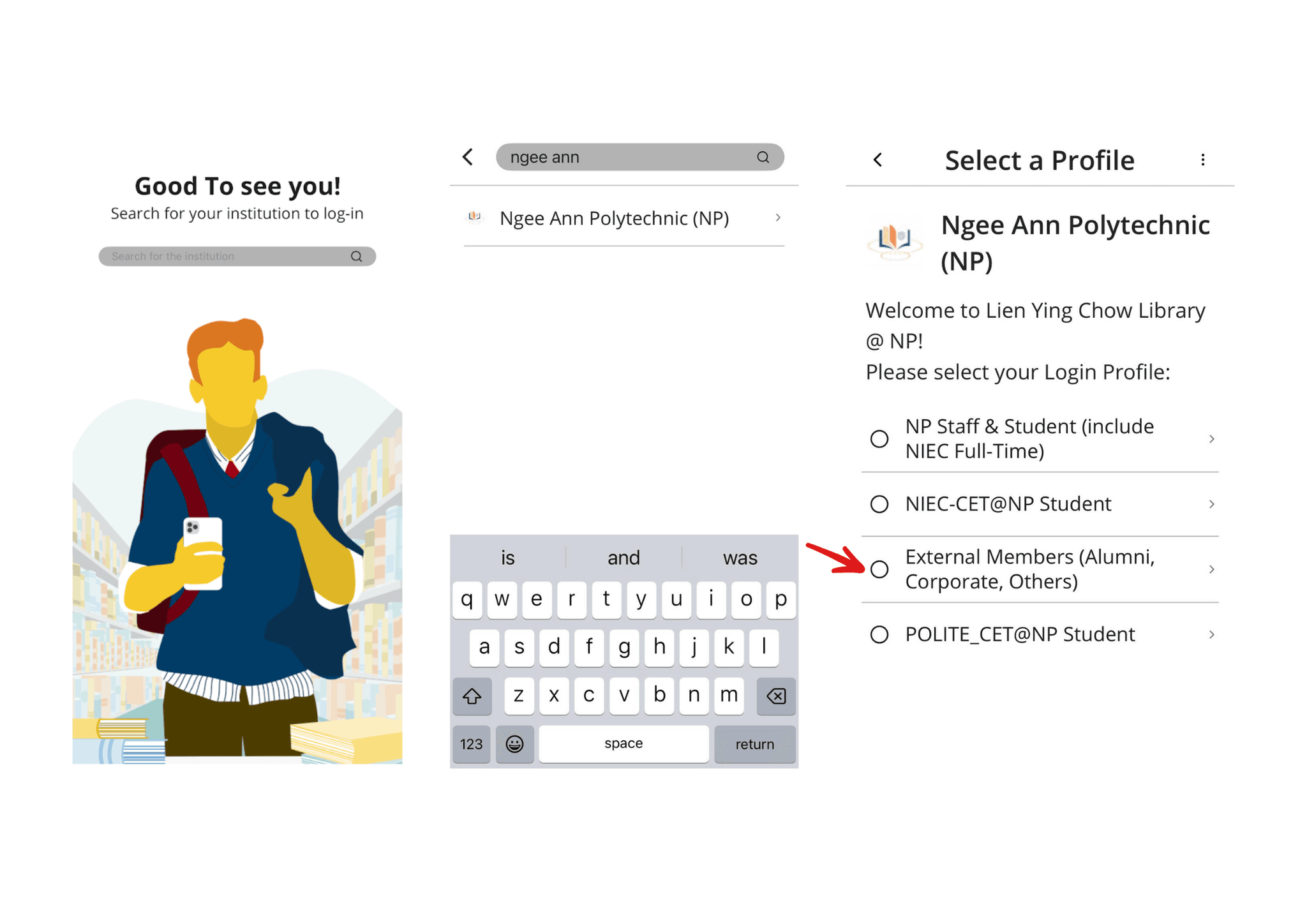
1. Download the Library Mobile App
Search for ‘Ngee Ann Polytechnic’ & select the Login Profile ‘External Members’.
2. Log In to Update Your Password
Your Library Account ID: X123456@lib.np.edu.sg
Current Default Password: Your personal email suffix + last 4 digits of the mobile number entered in the registration form.
(Example: if your email is abc@gmail.com and your mobile number’s last 4 digits are 5430, your current password is: abc5430)
Input the current default password and set a new password.
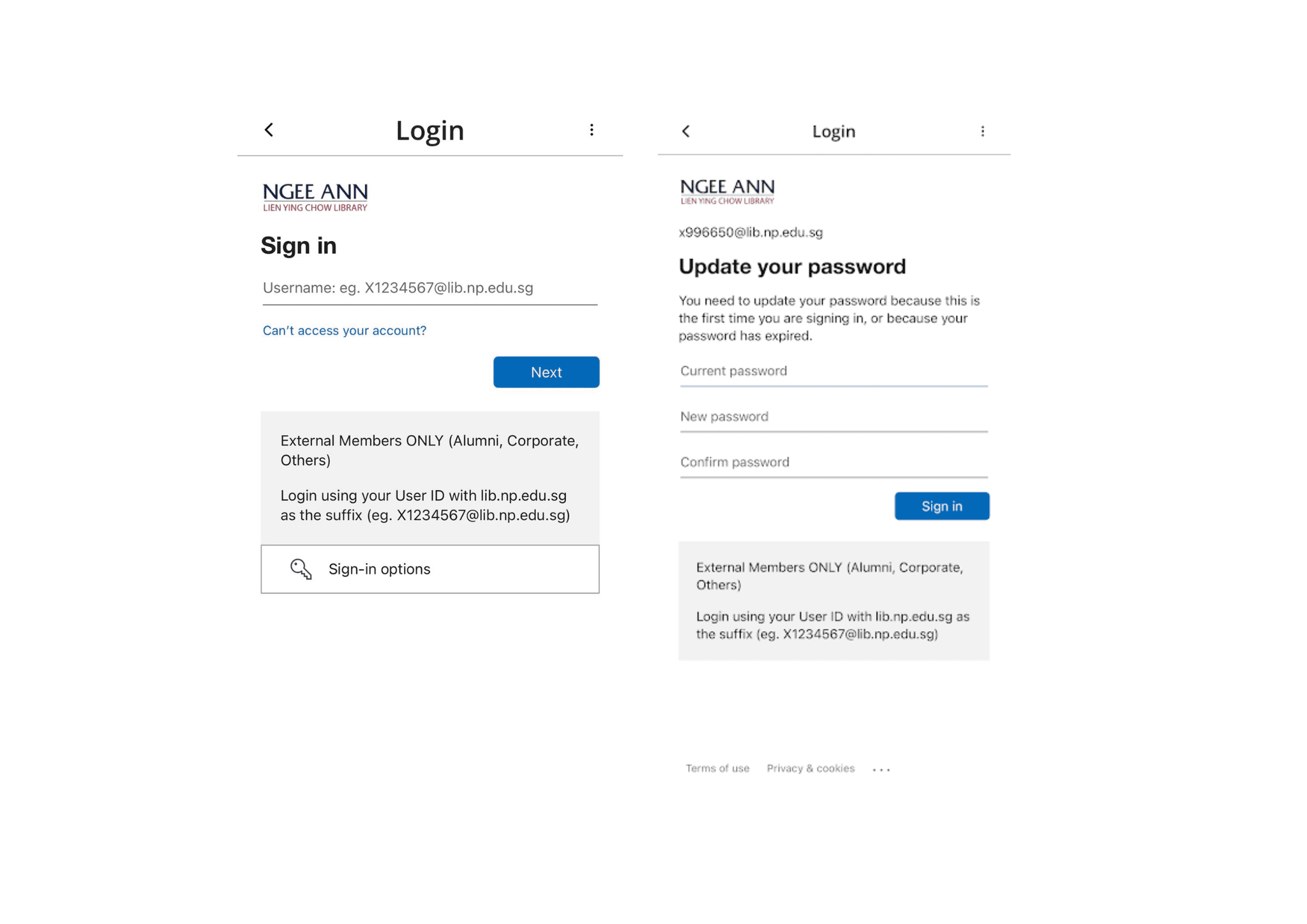
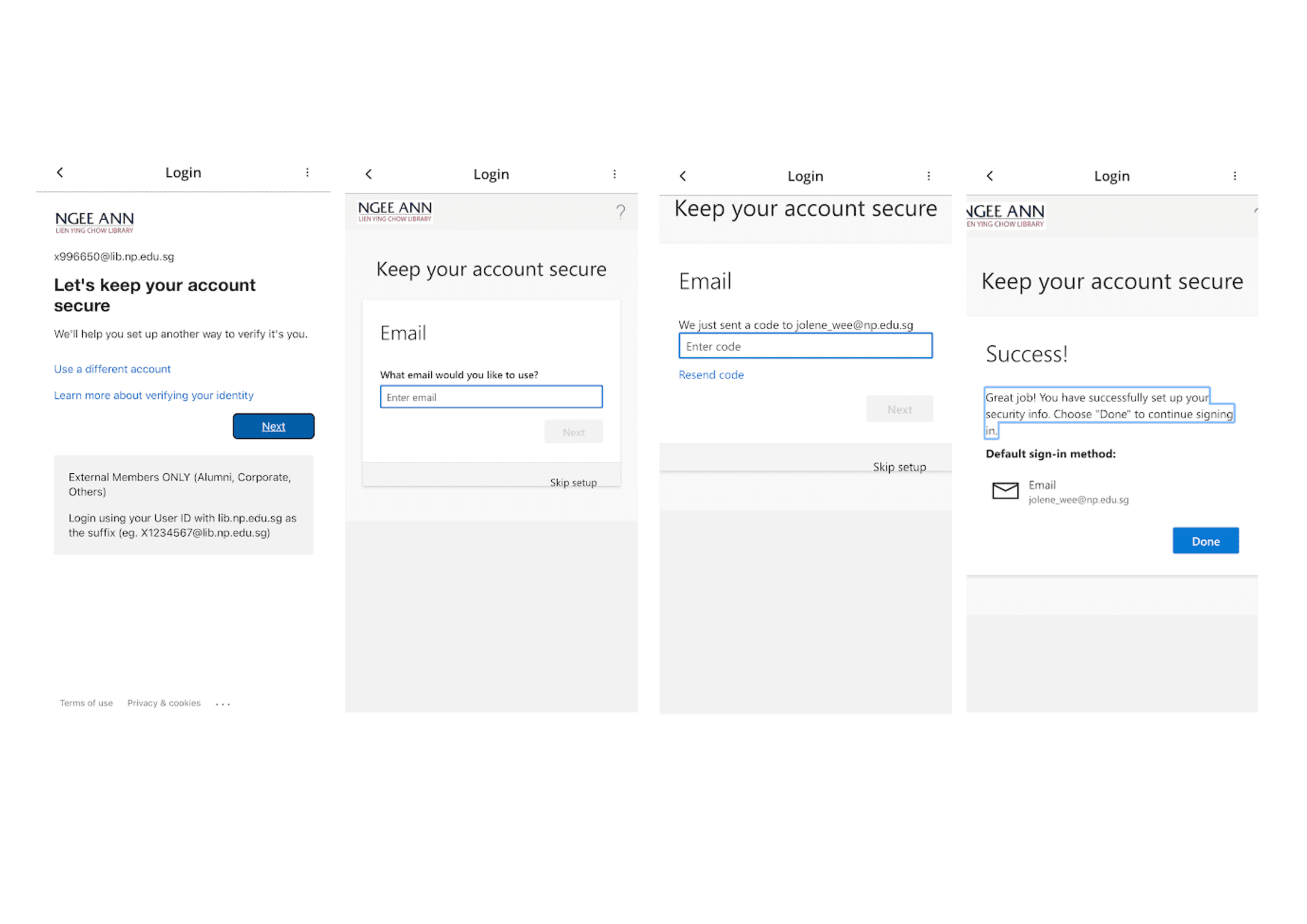
Secure your account by adding your personal email address as another way to verify your identity.
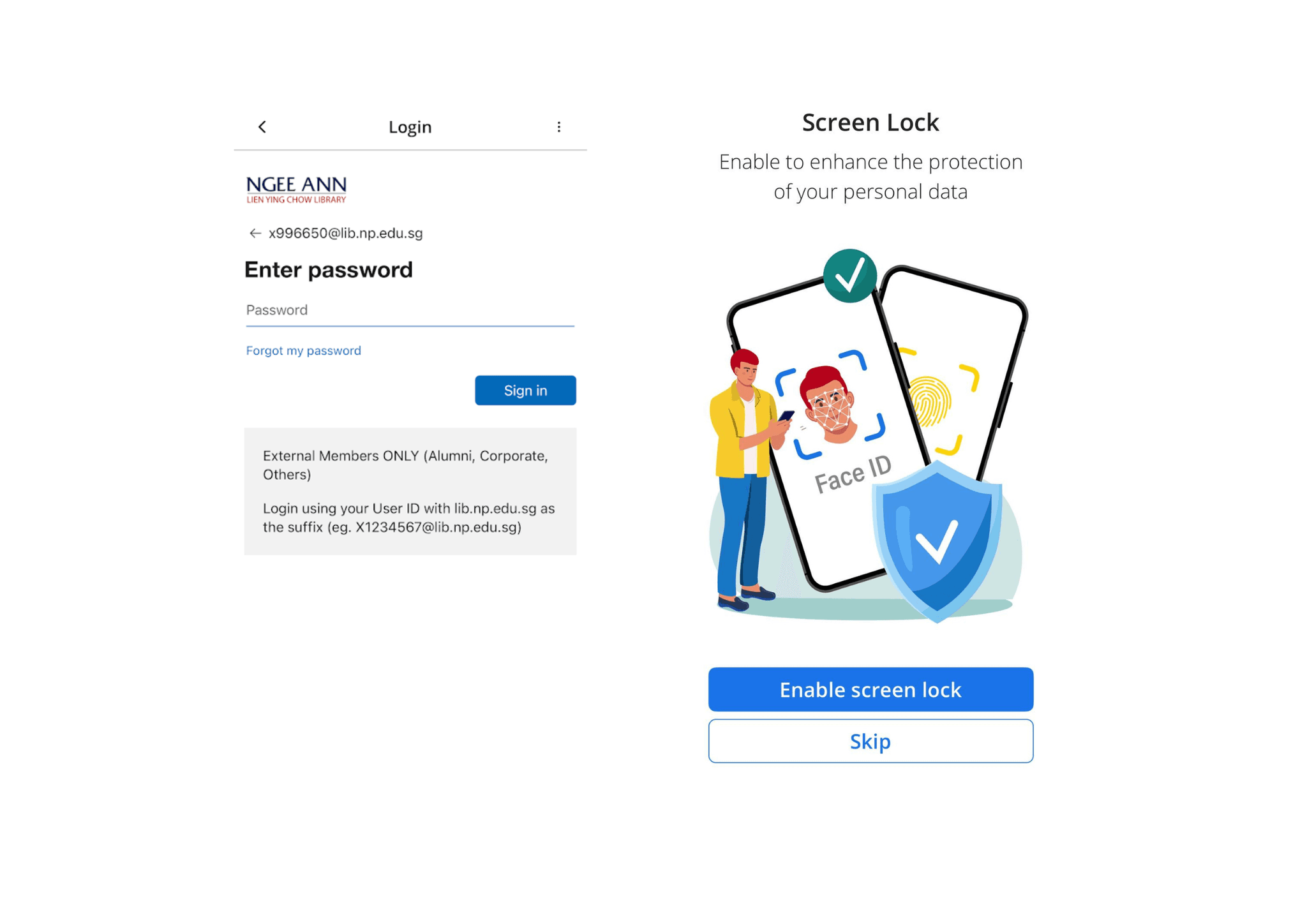
Log in with your new password and tap 'Skip' when asked about Screen Lock.
3. Pay membership fee
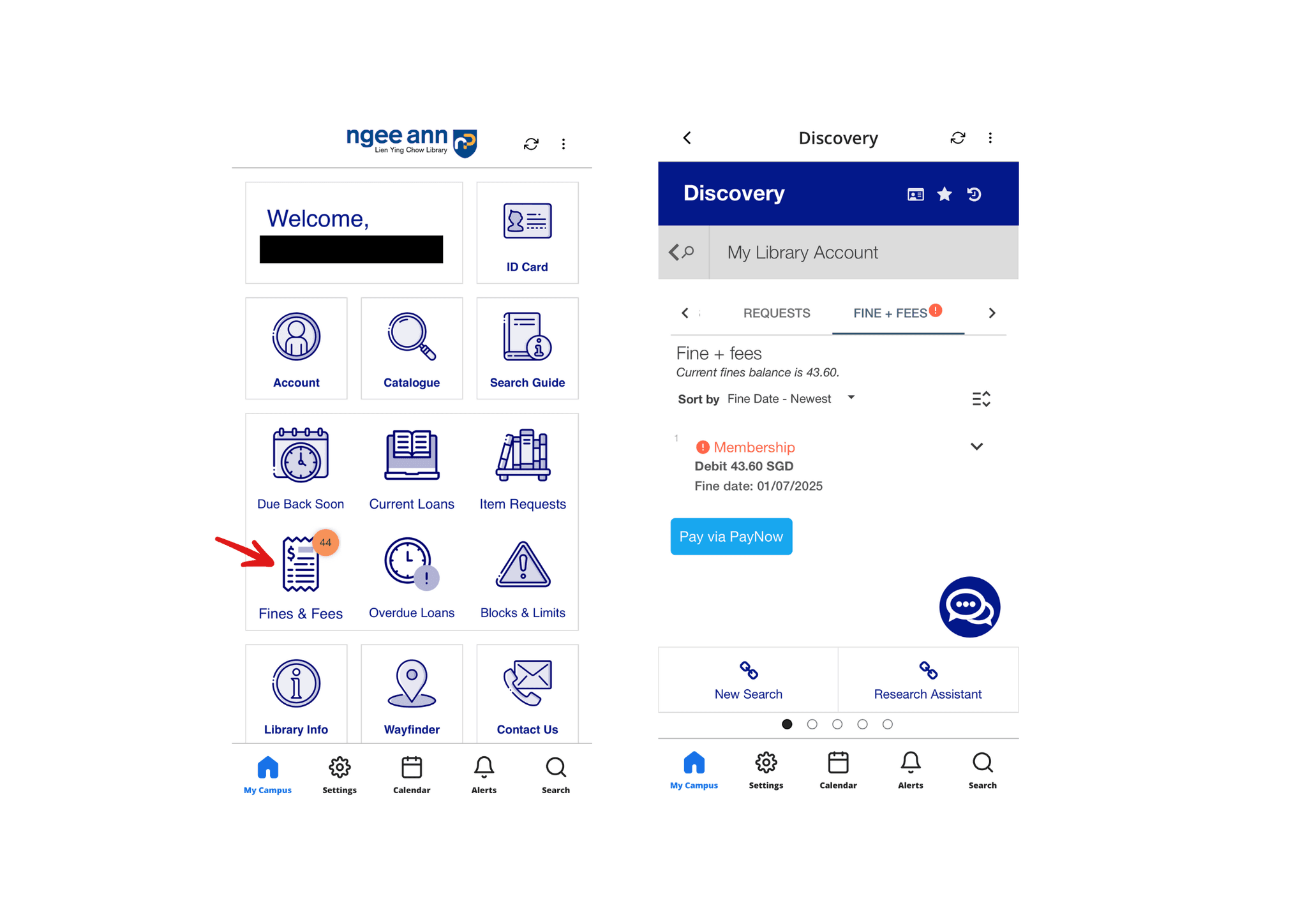
Once logged in, go to Fines + Fees to pay your membership fee via PayNow.
You will receive an email with your membership details once your library account is successfully activated.
NP Library Services
The Library Mobile app provides an easy point to access to all NP library services, as well as important notifications for loan reminders and other updates.
View status of current reservations and loans, search library catalogue, browse upcoming events and more.
You may also access your library account via browser (mobile/desktop).
Entering Library Premises
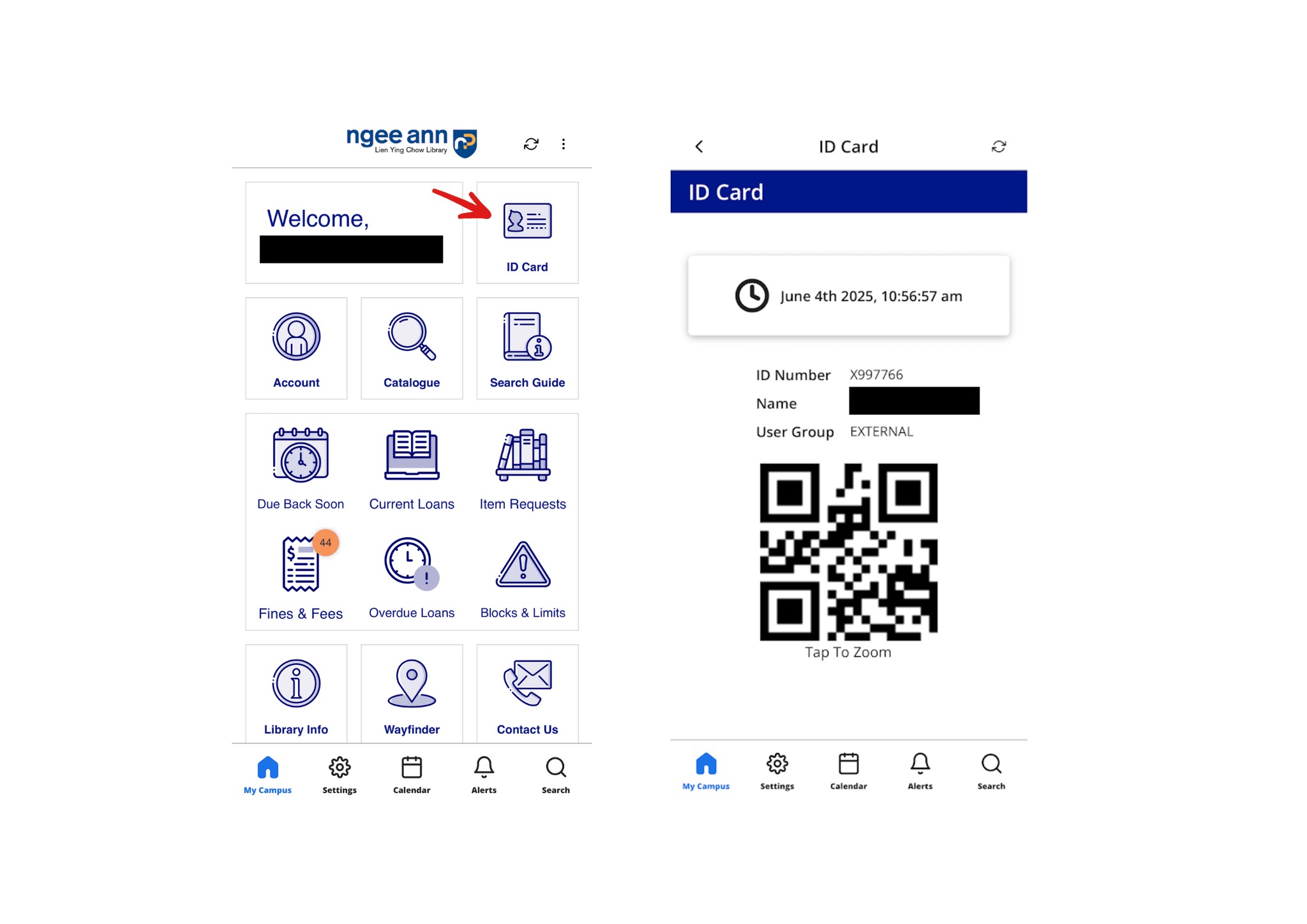
To enter library premises, scan the QR within the ‘ID Card’ tile at the gantry.
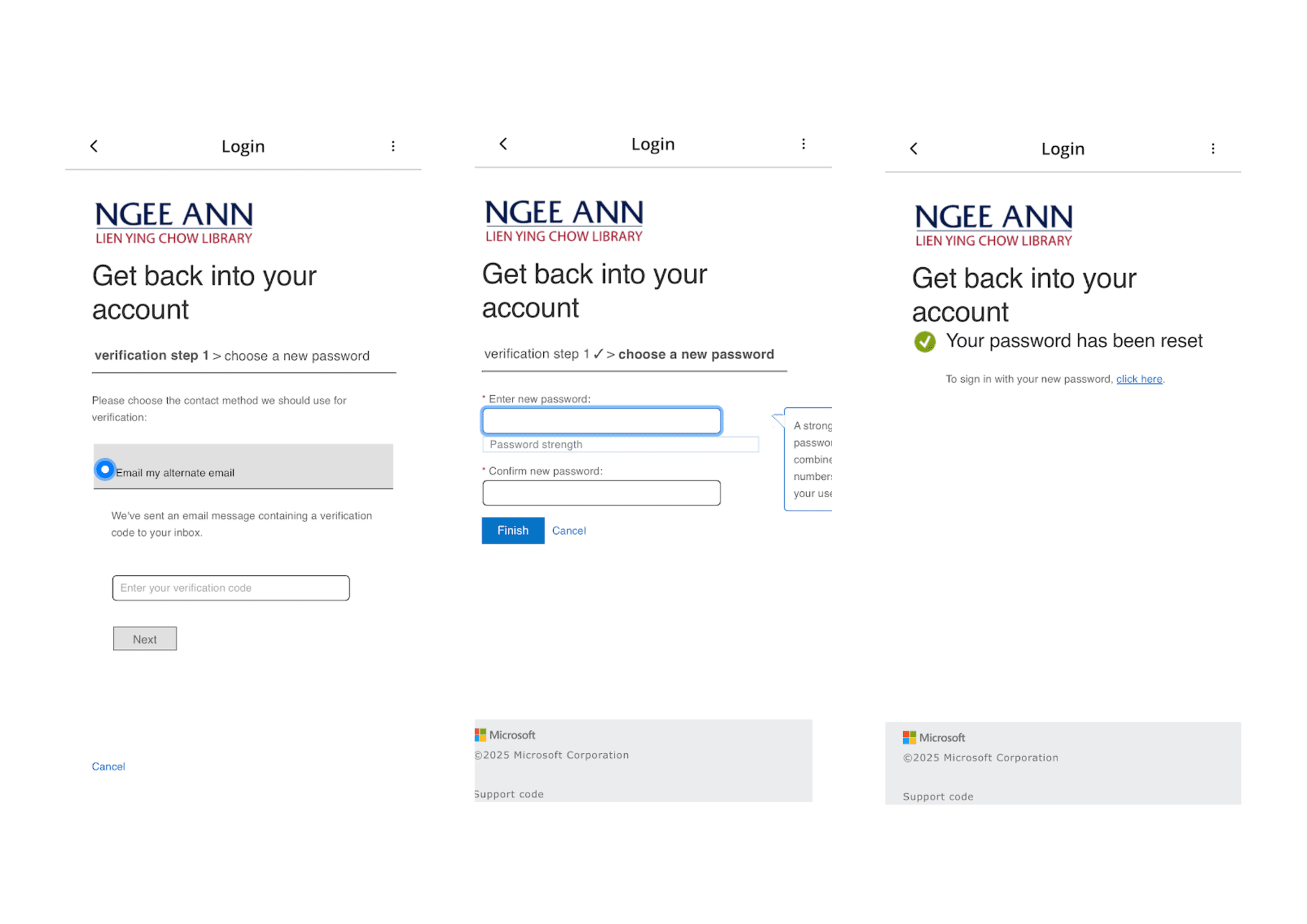
Reset Password
If you forgot your password, select ‘Forgot my password’ then enter your NP Library Account ID (e.g. X123456@lib.np.edu.sg).
You will receive a verification code at the alternate personal email address you’ve previously entered as a security method to verify your identity.
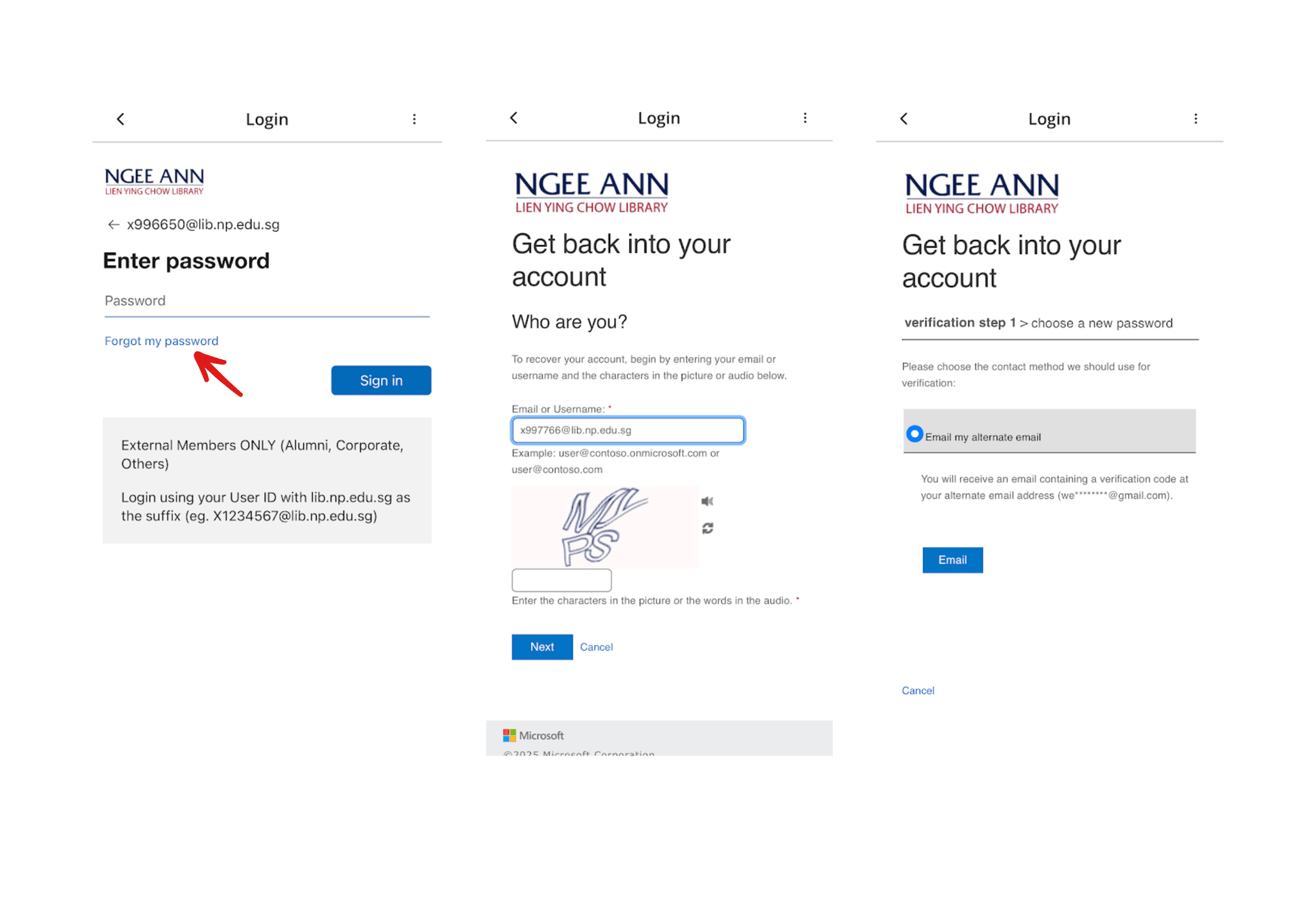
Follow the remaining prompts to set a new password.